
ねむすぎノート
ねむすぎノート
もともとTwitchで配信していた人のYouTube配信設定
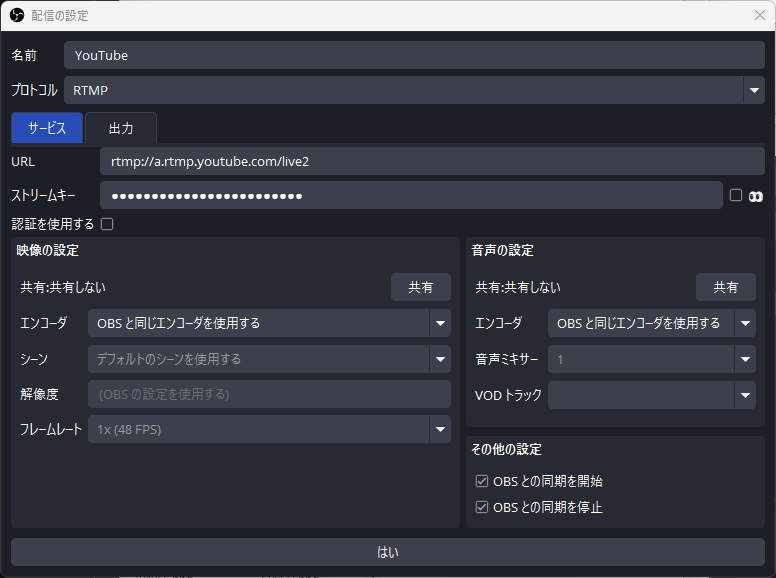
「OBSと同期を開始」にチェックを入れておくと、OBSの配信開始で同時に配信が始まります。
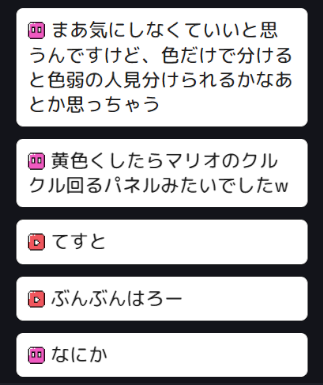
AppData\Roaming\onecomme\templates\preset\retro を元にカスタムCSSを設定した例です。
.comment[data-service="twitch"] などでサービスごとのアイコン表示設定ができます。
このコードの場合、retroフォルダ内に下記のようなアイコン画像を置く必要があります。*1


body {
    font-family: "Rounded Mplus 1c Medium",sans-serif;
}

:root {
    --lcv-direction: column;
    --lcv-timeout: 30s;
}

.comment-header {
    margin-bottom: 0;
}

.name {
    display: none; /* 名前非表示 */
}

.avatar {
    display: none; /* アバターアイコン非表示 */
    min-width: 24px;
    width: 24px;
    height: 24px;
    margin-top: 6px;
    margin-right: 8px;
}
.badge {
    margin-bottom: 4px;
}

:root {
    --lcv-badge-size: 1em;
}

.comment-text {
    line-height: 1.3em;
}

.comment-text,.name {
    font-size: 24px;
}

.comment-text img {
    height: 1em;
    width: auto;
}

.comment {
    margin: 8px 16px;
    padding: 12px 14px;
    border-radius: 8px;
    border:0;
    outline:0;
}
.comment:last-child::after{
    display: none; /* 三角非表示 */
}

:root {
    --lcv-name-color: #222;
    --lcv-text-color: #222;
    --lcv-background-color: #ffffff;
    /*--lcv-border-color: #333333;*/
}

.comment[data-service="twitch"] .comment-text::before,
.comment[data-service="youtube"] .comment-text::before {
    content: "";
    display: inline-block;
    width: 22px;
    height: 22px;
    margin-right: 7px;
    vertical-align: -3px;
    background-repeat: no-repeat;
    background-position: center;
    background-size: contain;
}

.comment[data-service="twitch"] .comment-text::before {
    background-image: url("./twitch_x2.png"); /* twitchアイコン */
}

.comment[data-service="youtube"] .comment-text::before {
    background-image: url("./youtube_x2.png"); /* youtubeアイコン */
}