ねむすぎノート
ねむすぎノート
最終更新: 2026-09-18 (金) 11:00:19
retro をベースにしている状態で、OBSのカスタムCSSに下記を使用することで見た目を調整しています。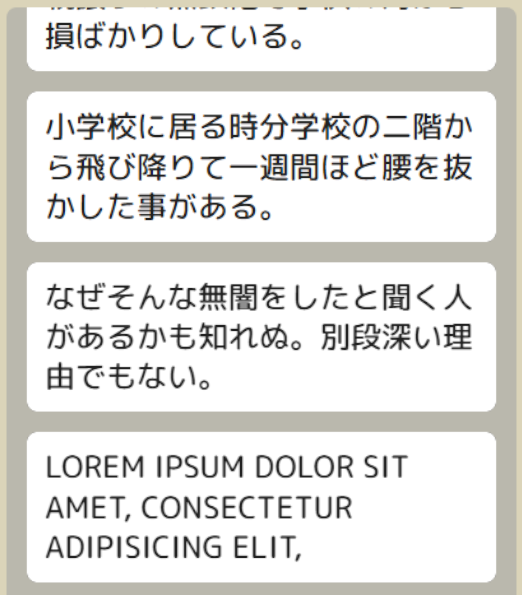
body {
    font-family: "Rounded Mplus 1c Medium",sans-serif;
}

:root {
    --lcv-direction: column;
    --lcv-timeout: 30s;
}

.comment-header {
    margin-bottom: 0;
}

.name {
    display: none; /* 名前非表示 */
}

.avatar {
    display: none; /* アバターアイコン非表示 */
    min-width: 24px;
    width: 24px;
    height: 24px;
    margin-top: 6px;
    margin-right: 8px;
}
.badge {
    margin-bottom: 4px;
}

:root {
    --lcv-badge-size: 1em;
}

.comment-text {
    line-height: 1.3em;
}

.comment-text,.name {
    font-size: 24px;
}

.comment-text img {
    height: 1em;
    width: auto;
}
.comment[data-service="twitch"] .comment-text img.gift-image {
    filter: brightness(0) opacity(0.5);
}
.comment[data-service="twitch"] .comment-text img.gift-image[src*="emote_add-2.png"] + img.emote {
    height: 4em;
    width: auto;
}

.comment {
    margin: 8px 16px;
    padding: 12px 14px;
    border-radius: 8px;
    border:0;
    outline:0;
}
.comment:last-child::after{
    display: none; /* 三角非表示 */
}

:root {
    --lcv-name-color: #222;
    --lcv-text-color: #222;
    --lcv-background-color: #ffffff;
    /*--lcv-border-color: #333333;*/
}
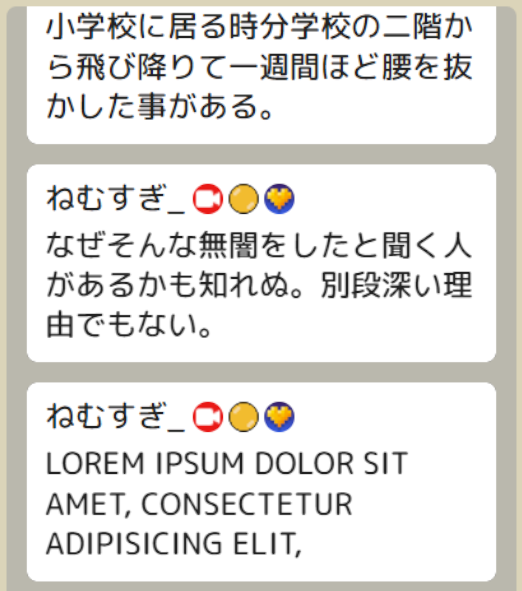
こちらを
.name {
    display: none; /* 名前非表示 */
}
下記に変更してください
.name {
    display: block;
}
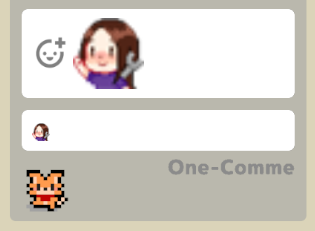
少し画像がぼんやりしますが、通常のエモートより大きく表示できます。
.comment[data-service="twitch"] .comment-text img.gift-image[src*="emote_add-2.png"] + img.emote {
    height: 4em;
    width: auto;
}